
Listen to this article
Bella · American English · AI narrated
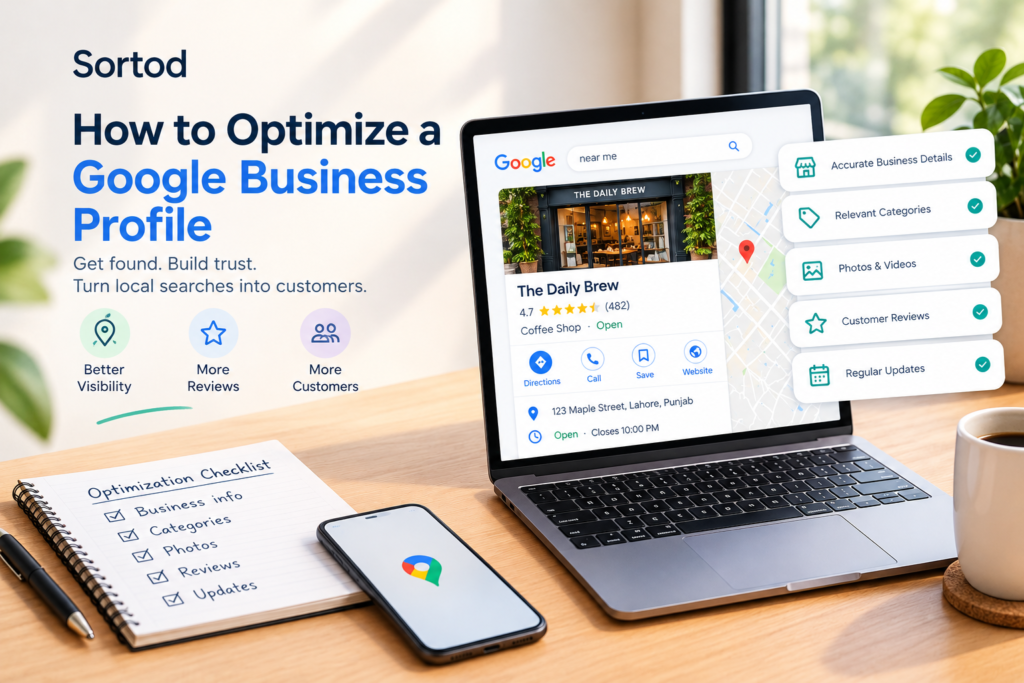
People use the internet to answer questions like how far a business is from their house or what the opening hours are, so they don’t need to go to a website or pick up the phone to call a business. Having a profile on Google is the first step in this process. how to optimize a Google Business Profile But customers also want to see accurate and updated information, a description of the services a business provides, and questions and reviews need constant care. Sortod has outlined the necessary steps for optimizing your local business search and avoiding common pitfalls in his Google Business Profile optimization guide.
What Is Google Business Profile Optimization?
Google Business Profile optimization is the process of completing, reviewing, and maintaining a business’s information on Google so customers can understand what the business offers, where it operates, and how to contact it.
Optimization includes choosing appropriate business categories, maintaining accurate contact details and hours, describing services clearly, adding useful photos, responding to reviews, and monitoring available performance data.
These actions help Google and potential customers better understand the business. They do not guarantee a particular Google Maps ranking because local results depend on several factors, including relevance, distance, and prominence.
1. Claim and Verify Your Business Profile
Start by checking to see if you already have a Google Business Profile. how to optimize a Google Business Profile If there is one, it might have been created by Google, a previous manager, a customer, or someone else.
Use Google’s Business Profile tools to search for your profile and follow the steps to claim it and verify your business.
It is better to avoid creating duplicates. Multiple listings for one business can be very confusing to your customers and can lead to major issues for you as a manager.
What to check:
- You have the appropriate ownership or management access.
- The business name reflects its real-world name.
- The profile represents an eligible business.
- Verification is completed using Google’s available method.
- Duplicate or outdated listings are reviewed appropriately.
Businesses that operate from a physical location customers visit and eligible service-area businesses may qualify. Online-only businesses that do not meet Google’s eligibility rules should not create a profile simply to gain visibility.
2. Choose the Most Relevant Business Category
Your main category lets Google know what the major type of business you run is. Select the category that best represents your business activity and not one that looks popular to you.
For instance, if the major activity of a business involves dental work, then the most appropriate dental category will be chosen and not the general category which does not reflect the main business activity.
Secondary categories will be added only if they represent an activity of the business. Irrelevant categories should not be added to get more exposure.
Practical category checklist:
- Select the closest accurate primary category.
- Add relevant secondary categories only when appropriate.
- Review categories if the business changes its main offering.
- Do not treat categories as a substitute for a clear website or service description.
The goal is to describe the business accurately, not to fit every possible search phrase into its profile.
3. Keep Business Information Accurate and Consistent
Customers should not have to guess whether a business is open, where it is located, or which number to call.
Review the essential details on your profile and compare them with your website and other important business listings.
Check the following information regularly:
- Business name: Use the real-world business name without adding promotional keywords.
- Address: Display an accurate address when customers are served at that location. Service-area businesses should follow Google’s address-display rules.
- Phone number: Use a working number that reaches the business.
- Website: Link to the correct, functioning website.
- Opening hours: Keep regular and special holiday hours updated.
- Service area: Specify areas the business genuinely serves when applicable.
Inconsistent information can frustrate customers and make it harder for them to confirm which listing is correct.
For businesses with multiple locations, review each eligible profile separately. Do not copy the same address, phone number, how to optimize a Google Business Profile or location details across profiles when those details are not accurate for each branch.
4. Write a Clear Business Description
Your business description should explain what the business does, who it serves, and what customers can expect.
Avoid generic statements that could describe any company. Focus on useful information that helps a potential customer understand whether your business meets their needs.
A useful description answers three questions:
- What does the business provide?
- Who are its main customers?
- What makes its offering relevant to those customers?
For example, a local plumbing business might explain that it handles residential plumbing repairs, fixture installation, and maintenance for homes in its genuine service area.
Keep the description factual. Avoid promotional claims, excessive keyword repetition, links, and information that belongs in another profile field.
5. Add Useful Photos That Represent the Business
Photos help customers understand what they can expect before visiting or contacting a business.
Choose images that accurately represent the business and its work. Depending on the business type, useful images may include:
- The storefront or exterior entrance.
- The interior or customer reception area.
- Products or completed projects.
- Staff performing their work.
- Equipment, facilities, or other relevant business features.
Use clear, current images that customers can recognize. Avoid misleading stock photos, heavily altered images, or visuals that do not represent the actual business.
There is no need to upload images simply to reach an arbitrary number. Prioritize accuracy and usefulness, and replace outdated images when the business changes.
6. Keep Services and Products Relevant
If the relevant profile features are present, use them to describe what the customers can really get from the business.
The description of the service needs to be clear enough to allow the customers to understand the offering. An auto repair business may want to specify brake inspection, oil change, and diagnostics services instead of just listing “car services.”
Product-based businesses should make sure that their product information is up to date and complies with Google policies and features.
Ensure that the information in the profile is consistent with the corresponding pages on your website. In case of any changes in the offered services, update or delete the outdated information.
Do not include any services, products, prices, or locations that the business is unable to offer.
7. Manage Customer Reviews Professionally
Customer reviews can influence whether people feel comfortable contacting a business. A thoughtful response also demonstrates that the business pays attention to customer feedback.
Create a consistent process for handling reviews:
- Monitor new reviews regularly.
- Thank customers for specific, genuine feedback.
- Respond calmly to criticism.
- Avoid sharing private customer information.
- Investigate complaints and explain appropriate next steps.
- Request honest reviews without offering incentives or pressuring customers.
Never purchase fake reviews, create reviews for your own business, or selectively manipulate feedback. These practices can undermine trust and violate platform policies.
If a review appears to violate Google’s policies, use the official reporting process rather than assuming that every negative review will be removed.
A professional response cannot guarantee a new customer, but it can help future customers understand how the business handles feedback.
8. Use Google Posts and Profile Features Where Available
Some features of Business Profile can be used by eligible businesses to post updates, promotions, or events. Availability varies according to business type, location, and current product features of Google.
Utilize these features when there is valuable information for the customers. For example, there could be a legitimate seasonal update, an upcoming event, or a significant change in operating hours.
Do not publish repetitive posts just to show activity. Each post must have a purpose and correct information.
Check out other features that your business has access to on the profile, such as appointment links, messaging when available, or any product or service information. Only activate features that you can manage effectively.
9. Measure Profile Performance and Customer Actions
Optimization should be guided by customer needs and available performance data, not by the number of changes made to a profile.
Google Business Profile performance reporting may provide information such as how customers discovered a business and which interactions they took. The exact metrics available depend on the profile and Google’s reporting features.
Review relevant metrics over time, including:
- Search visibility: How customers discover the profile through available search reporting.
- Website clicks: Whether people visit the business website from the profile.
- Calls: Whether customers initiate calls through supported profile interactions.
- Direction requests: Whether people request directions to a physical location.
- Bookings or other actions: Whether the business has eligible, supported booking or action features.
Interpret the numbers in context. A rise in profile views does not necessarily mean more sales, and a change in calls may reflect seasonality, operating hours, or other business conditions.
Where practical, connect profile interactions with enquiries, appointments, and sales so you can better understand which activities support business goals.
10. Build a Google Business Profile Maintenance Routine
A profile should not be treated as a one-time setup task. Business hours change, services evolve, customer feedback arrives, and old information can become inaccurate.
A simple maintenance schedule can prevent avoidable errors.
Weekly
- Review new customer reviews and respond where appropriate.
- Check for customer questions or important profile updates.
- Confirm that any current announcements remain accurate.
Monthly
- Review contact details, services, categories, and photos.
- Check available performance metrics.
- Compare important profile information with the website.
- Identify repeated customer questions that could be answered more clearly.
Whenever the business changes
- Update holiday hours, contact details, or services.
- Review relevant information after a move or a change in operating arrangements.
- Follow Google’s process for changes that require verification.
The best schedule is one the business can follow consistently.
How Sortod Helps Businesses Improve Maps and Listings
Maintaining a local business presence requires more than filling in profile fields. Businesses also need to keep their information consistent, identify outdated details, respond to customer feedback, and understand how their online presence supports customer decisions.
Sortod helps businesses review their Maps and Listings presence and identify practical opportunities to improve the accuracy and clarity of their online information.
Our Maps & Listings service is relevant for businesses that want a more organized approach to business profile visibility and listing management. Businesses can also explore our Local SEO services for broader local search improvements.
If you are unsure where to begin, use Sortod’s Free Online Visibility Audit to review potential gaps in your public online presence.
The objective is straightforward: help customers find accurate information, understand what a business offers, and take the next appropriate step.
FAQs:
How do I optimize a Google Business Profile?
Claim and verify an eligible profile, select an accurate primary category, maintain correct business details and hours, describe your services clearly, add genuine photos, manage reviews professionally, and monitor available performance data.
Is Google Business Profile free?
Creating and managing a Google Business Profile is free for eligible businesses. Some third-party tools or professional management services may charge separate fees.
How long does Google Business Profile optimization take to show results?
There is no guaranteed timeframe. Changes may take time to be reviewed or reflected, and local search performance depends on several factors, including relevance, distance, and prominence. Monitor results over time instead of expecting an immediate ranking change.
Can a business without a storefront have a Google Business Profile?
Some businesses that travel to customers, such as eligible service-area businesses, can qualify. Eligibility depends on Google’s rules. Online-only businesses that do not meet those rules should not create a profile.
Put your profile to work.
Get a practical review of your online presence and see where to focus first.
Get my free profile review ↗