Listen to this article
Bella · American English · AI narrated
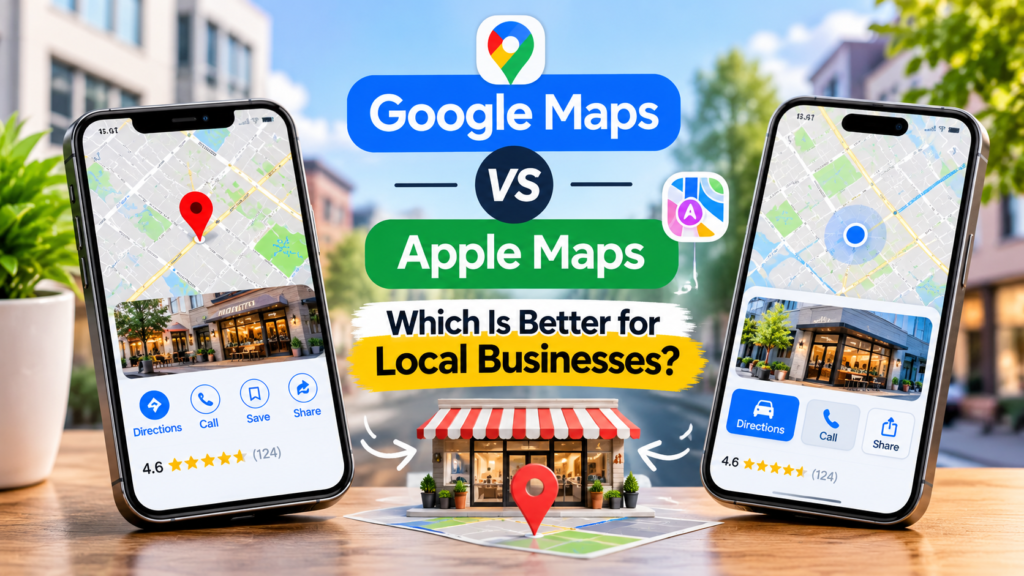
The customer often uses map apps to find a local restaurant, repair shop, salon, or service.
Google Maps and Apple Maps are two important platforms that help people locate local businesses. Both offer tools for business operations but differ in the digital world.
Google Maps vs Apple Maps for Businesses
For local companies, Google Maps should be prioritized because it connects to Google Search through the business profile and lets you manage reviews, images, news, and customer data. Apple Maps must be managed as well, for it ensures that company profiles are available within Apple’s ecosystem that includes Maps and Siri.
It is better to work on both platforms instead of relying on just one of them.
What Is the Difference Between Google Maps and Apple Maps?
Both platforms serve as navigation and location-discovery applications that guide consumers to find businesses, review different locations, and receive directions to their destination.
The difference lies in how businesses use this information and the way in which customers interact with their listings.
Google Plan, Google Search provides connections through its Google Business Profile interface with Google Maps business listing. The business owner has access to the job of communicating with customers, uploading photographs, posting updates, or links to their websites, or any customer calls to action.
On its side, Apple Maps displays business information using place cards built from Apple Business Manager. These businesses can manage details of location, photos, cover images, and promotional showcases across Apple’s suite of applications and services.
Here is a quick comparison:
| Feature | Google Maps | Apple Maps |
|---|---|---|
| Business management | Google Business Profile | Apple’s business management platform |
| Search integration | Google Search and Maps | Apple Maps and Apple ecosystem |
| Business information | Address, hours, phone, website, categories | Location details, hours, contact information, and place card attributes |
| Customer reviews | Direct review management and replies | Ratings and place information can depend on available data and integrations |
| Photos | Business and customer photos | Business photos and place card imagery |
| Promotional updates | Business Profile posts | Location-specific showcases |
| Navigation | Google Maps directions | Apple Maps directions |
| Voice assistant integration | Google Assistant and Google services | Siri and Apple services |
The platforms overlap in their basic purpose, but their business management features are not identical.
1. Why Google Maps Matters for Local Businesses
For businesses relying on leads from their local customer base, Google Maps acts as a key discovery channel.
A verified Google Business Account helps eligible businesses manage how their business information appears in Google Search and Maps.
Business owners can provide:
Business name and the primary business category
Business address, if applicable, or service area
Phone number and website
Working hours and special hours
Business photos and videos
Offered goods and services, where applicable
Client reviews and responses
Business updates and announcements
This information helps potential customers understand what a business offers before getting in touch.
Google Maps Connects With Google Search
One of the massive advantages of Google Business Profile is the fact that it is directly related to Google Search.
For example, a user searching “plumber near me” can find different local businesses with Google Search and Maps. Business information will help you know where the business is located, the hours of operation, and what pictures and reviews to check out when deciding whom to contact.
Google states that local search results are influenced by the relevancy, distance, and prominence. Accurate and complete business information can enable Google to understand the nature of the business so it can appropriately match the business to any searches relevant to the business.
However, people should know that a complete profile will not give them a guaranteed ranking of sorts. Instead, a lot depends on location and competition.
Google Maps Supports Customer Interaction
The tools that Google Business Profile offers allow qualified entrepreneurs to connect with their clients.
A business can send replies to reviews, give business updates, share pictures, and provide useful links.
Due to these opportunities, Google Maps not only works as a navigation system but also becomes a medium of business information and communication with clients.
2. Why Apple Maps Matters for Local Businesses
For companies that want to advertise their sites where Apple electronic devices are present, Apple Maps acts as a must-have service for advertisers.
One of the other important features of Apple’s business platform is the ability for companies to track their place card information and how it would appear as part of Apple Maps.
The following features are available for companies, depending on their eligibility:
Business name and contact details
Operations hours
Location characteristics
Images
Discounts statements
Customer action links
Apple Maps Connects With the Apple Ecosystem
The Apple Maps technology is interconnected with a number of processes carried out by Apple services in addition to their respective applications. As a result, precise details about the location of the business can be made available through all Apple services. For instance, when an iPhone user asks Siri how to get to the nearest company, the accurate information can be used to pinpoint the given location on the map.
Apple Maps Offers Place Card Customization
The business can use Apple’s place cards to provide useful location information.
Through the use of pictures and other information, businesses can clearly explain what to expect from a specific location.
Additionally, Apple also offers the feature of showcases, where different promotions in that location can be highlighted. This option will be approved by Apple according to their own requirements.
These features can be very interesting for businesses that have been looking for ways to create a very informative Apple Maps presence.
3. Google Maps vs Apple Maps: Which Platform Is Better for Visibility?
Which platform is superior depends greatly on where customers search as well as what tools a business requires.
Google Maps proves to be the best choice for almost all local businesses since it integrates with Google Search and provides the necessary tools for managing both business updates and customer reviews.
Apple Maps serves as a very useful supplementary channel if there is a need to attract customers with iPhones and Apple services.
Let us analyze the following scenarios:
| Business situation | Recommended priority |
|---|---|
| A restaurant targeting local searches | Google Maps first, then Apple Maps |
| A home repair or plumbing company | Google Maps first, then Apple Maps |
| A retail store with a physical location | Maintain both platforms |
| A professional office | Maintain both platforms |
| A business serving customers in Apple-heavy markets | Give Apple Maps additional attention |
| A business with several branches | Manage accurate information across both platforms |
The recommendation is not to ignore Apple Maps. It is to prioritize the platform that best supports your current customer acquisition needs while maintaining an accurate presence on the other.
4. How to Set Up Your Business on Google Maps
To manage a business on Google Maps, eligible business owners need to create or claim their Google Business Profile.
Follow these steps:
Step 1: Open Google Business Profile
Visit https://www.google.com/business/ and sign in with the Google Account you want to use to manage the business.
Step 2: Add or Claim Your Business
Look up your business name. If a profile is already created for your business and it is not yours, apply to take control of it using the appropriate instructions. However, if a profile does not exist, take the necessary steps to establish your business profile.
Step 3: Enter Accurate Business Information
Ensure that the business name, industry, address or operating region, phone number, website, and operating hours are correct. You must reflect the reality of the services provided by your business.
Step 4: Complete Verification
Use the verification method that Google offers. Whether a business can use this method depends on the nature of the business.
Step 5: Complete Your Profile
Put in required images, items or services offered, important info about the business, etc.
Step 6: Maintain Your Listing
Check your profile regularly, change work hours accordingly, handle client feedback, and reply to the reviews professionally.
5. How to Add Your Business to Apple Maps
Businesses can manage their location information through Apple’s business management platform.
The process generally involves these steps:
Step 1: Access Apple’s Business Platform
Go to Apple’s business website and log in using the correct Apple Account.
Step 2: Find Your Business Location
Look for your business or place. Determine if the place card already exists before you start adding a new place.
Step 3: Claim or Add Your Location
Follow Apple’s steps to claim a place that already exists or add a new one. You may have to go through the process of confirming the ownership or business of the place.
Step 4: Check Your Business Details
Make sure that your place name, address, phone number, opening hours, and any other available details are correct.
Step 5: Add Photos and Location Details
Upload appropriate images and precise location information to inform your customers about your business.
Step 6: Explore Available Showcases
For locations where it’s appropriate, take advantage of showcases to promote events, deals, or new products.
Step 7: Keep Information Updated
Whenever your business address, phone number, office hours, or products change, cross-check location information.
6. Should Your Business Use Google Maps and Apple Maps Together?
Yes. Operating the two platforms for local businesses provides a broader avenue to ensure businesses have up-to-date location information at multiple points in customer discovery.
An individual may find a business via Google Search, and another customer may have used Apple Maps to get to the location.
If business information on either of the platforms is not up-to-date, it may confuse customers because they might receive conflicting information.
Here are some instances:
Your Google listing shows your actual working hours, while Apple Maps has obsolete data in connection with that.
Your website indicates a new phone number while your map listings have the old one.
You relocated, but one of the platforms has your old address.
Your company has several locations; however, only some of them have complete information.
Various inconsistencies may confuse customers and lead to unnecessary hassle in communicating.
7. Common Mistakes Businesses Make on Maps Platforms
Managing a business listing is not a one-time task. Business information changes, customer feedback arrives, and locations may update their services or hours.
Avoid these common mistakes:
Using Different Business Information
It’s crucial to have the business name, address, phone number, and website uniformly displayed.
Ignoring One Maps Platform
Even if you are investing a lot of effort in optimizing your presence on Google Maps, you shouldn’t forget about Apple Maps as well. Make sure to pay attention to both services to ensure customers can access the correct information no matter which platform they’re using.
Choosing Incorrect Business Categories
Make sure you’ve picked the business categories relevant to your company. Avoid including unrelated categories purely for the sake of maximizing the number of searches you appear in.
Uploading Irrelevant Photos
Photos representing your company should always be clear and relevant to your actual business and its products/services.
Forgetting Special Business Hours
Ensure to communicate your special operations within a holiday or otherwise and alter them when necessary to avoid customers coming on days when you are not open.
Creating Duplicate Listings
Before setting up additional listings, make sure to check the existing business locations and ensure that you do not create a duplicate listing.
8. How Sortod Helps Businesses Improve Their Maps Visibility
To succeed in managing both Google Maps and Apple Maps, one has to be equipped with precise information, reliable updates, and a proper approach to online listings.
Sortod enables companies to raise their online presence through Mapping & Listing Management, as well as Local SEO.
We adopt a straightforward approach aimed at the following objectives:
- To have your company’s data accurately presented.
- To make sure that every listing is complete.
- To find out discrepancies of location data.
- To improve online local visibility.
- To get customers informed in the easiest manner possible, among many other things.
Keeping the listing properly managed is just a single part of the overall approach we utilize to promote your business through local visibility. All other aspects, including your website, customer reviews, business data, and more, should work hand in hand.
If you are not sure about your position nowadays, start with the Free Online Visibility Audit from Sortod to see how you can enhance your online presence.
FAQ’s
Is Google Maps better than Apple Maps for local businesses?
For the majority of local businesses, Google Maps should be the prime choice as it leads to Google Search and provides tools for business information, consumer reviews, photographs, and news updates. Apple Maps deserves a decent share of resources as it proves helpful for attracting consumers within Apple’s ecosystem.
Should my business be listed on both Google Maps and Apple Maps?
Definitely. By keeping your listings correct on both maps, you enable your clients to find your business in their searches or using navigational tools, which helps avoid the emergence of erroneous information.
Is Apple Maps free for businesses?
Apple allows businesses to manage their locations with the help of its business platform. To know about the features available as well as their applicability and paid ad options, please refer to Apple’s current official terms of service.
Does Apple Maps help local businesses get more customers?
Apple Maps can help locate the needed business and provide consumers with directions, but whether the business is able to attract customers or not depends on several elements such as demand for services, location, and information about the business.
Can I manage Google Maps and Apple Maps listings separately?
Yes, the two platforms have separate management processes, and a business must update both platforms correctly and independently.
Does Google Maps ranking affect Apple Maps ranking?
No, Google Maps ranking does not affect ranking on Apple Maps because they use different systems for presenting location information.
What information should be consistent across Google Maps and Apple Maps?
All vital information about the business, including the name, address, phone number, website, opening hours, etc., must remain the same.
Which platform should a small business set up first?
Google Business Profile is the priority for most local businesses; then they should register on Apple Maps.
Put your profile to work.
Get a practical review of your online presence and see where to focus first.
Get my free profile review ↗